How to Generate B2B Leads From Any Company Website (Without a Database)
TL;DR
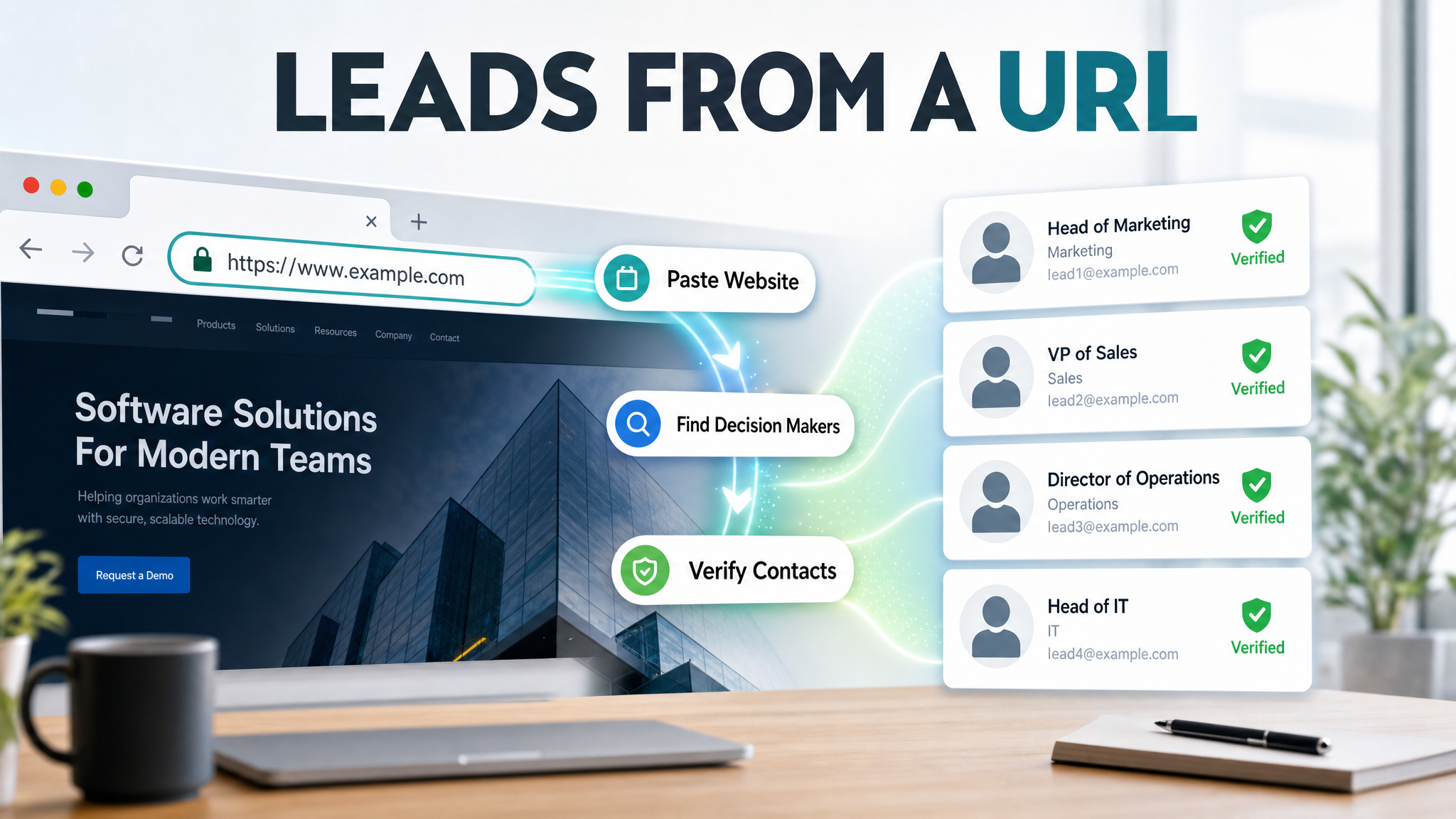
You don't need an Apollo subscription, a Clay table, or a manually built CSV to generate qualified B2B leads from a target company. You need a URL and a research agent that knows what to look for. AmroGen's Lead Generator agent browses a company's live website and public data sources to identify the right decision-makers, verify their contact information, and score them against your ICP — all at the time the campaign runs, not from a database snapshot that may be months out of date. This guide walks through exactly how that process works, step by step, with a real-world example of what the output looks like.
Table of Contents
- Why Start With a URL Instead of a Database
- Step-by-Step: How AmroGen Generates Leads From a Company URL
- What the Output Looks Like
- Five Scenarios Where URL-Based Lead Generation Wins
- What It Won't Do
- From Lead List to Sent Outreach: The Full Workflow
- FAQ
Why Start With a URL Instead of a Database
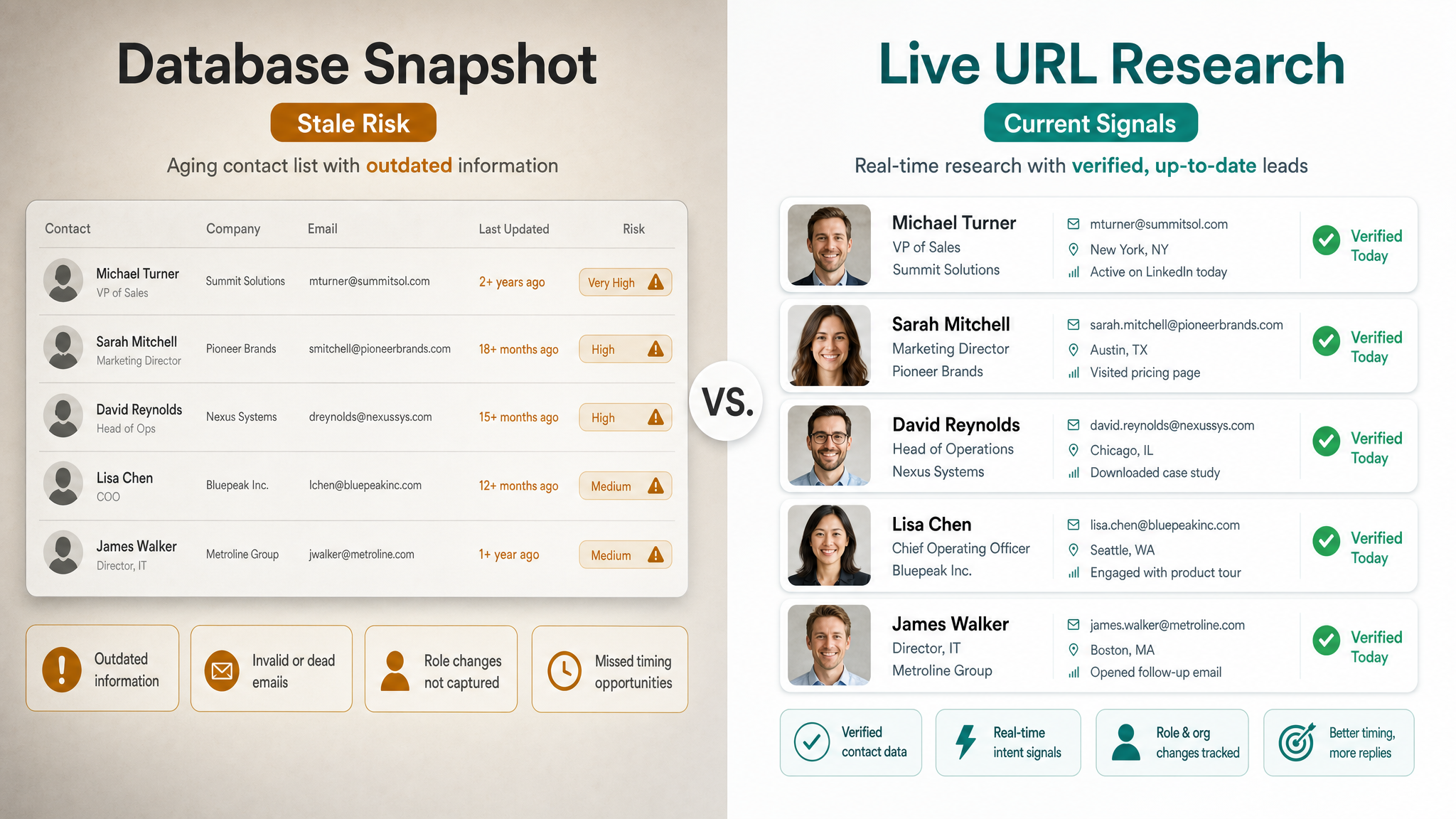
The standard B2B prospecting workflow starts with a database. You log into Apollo or ZoomInfo, set filters for industry, company size, and job title, and export a list. It's fast, it's familiar, and it works well when the database has good coverage for your target segment.
The problem is that databases decay. B2B contact data degrades at roughly 2.1% per month, accumulating to 22.5% of a database becoming unreliable within a year. Email decay specifically hit 3.6% per month in November 2024 — nearly twice the traditional rate — driven by workforce mobility and faster company restructuring than quarterly refresh cycles can track. The record in the database reflects who worked at that company and in that role when someone last verified it. That could have been six months ago. That VP of Sales might now be a CRO at a different company, and their Apollo record still shows their old email.
Starting from a company URL sidesteps this problem entirely. Instead of asking what's in the database about this company, you're asking what's publicly true about this company right now. The research agent reads the live website, the current LinkedIn company page, and publicly available profiles — and returns contacts that reflect today's reality rather than a historical snapshot.
This matters even more for companies that aren't well-covered by major databases. Apollo's coverage tends to be strongest for US-based mid-market and enterprise contacts. International companies, smaller businesses, and niche industries often have thin or stale database coverage — but they still have websites. Any company with a web presence is a target, regardless of whether they're in any B2B database.
Step-by-Step: How AmroGen Generates Leads From a Company URL
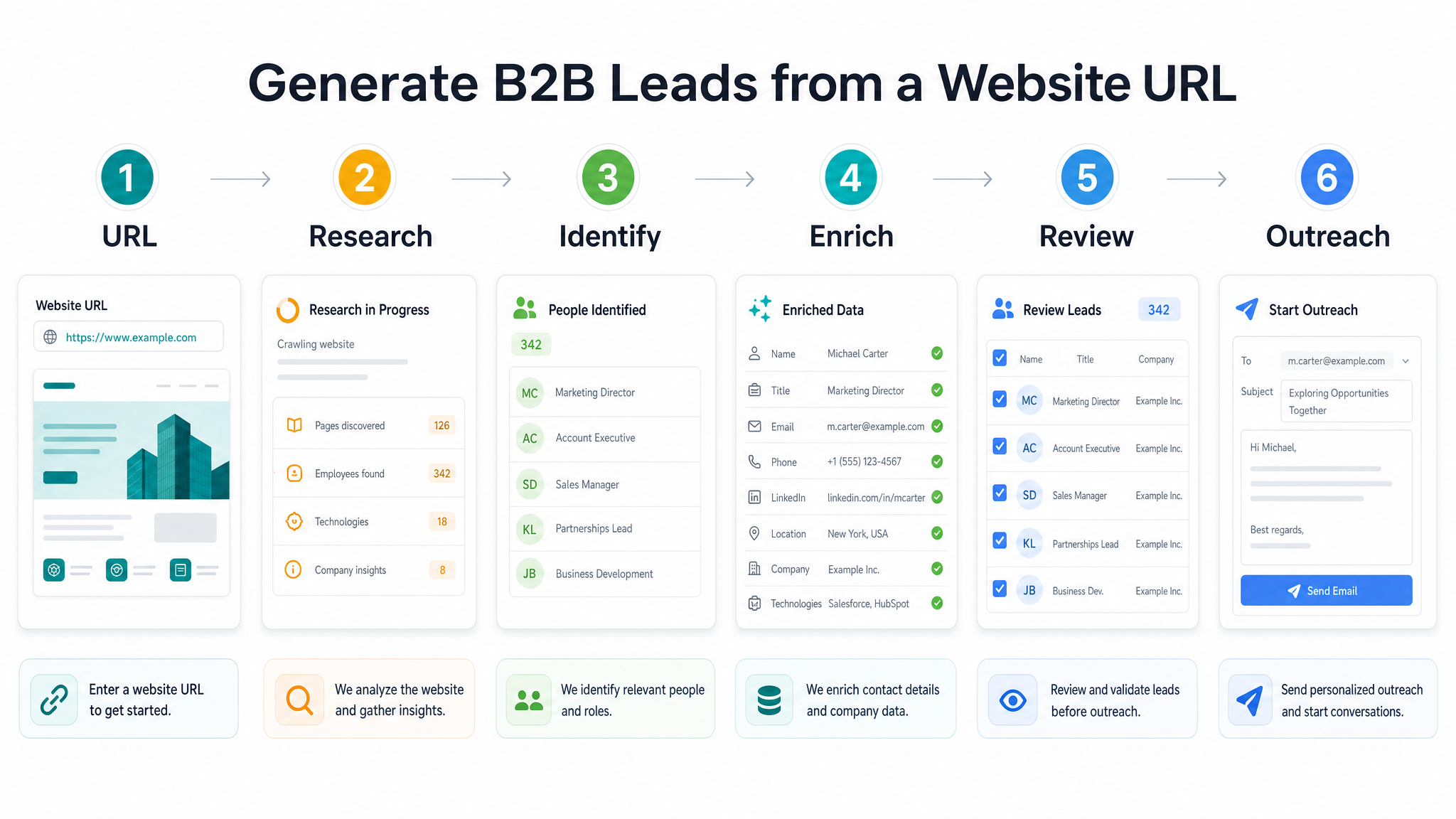
Here's exactly what happens when you enter a company URL into AmroGen and run the Lead Generator pipeline.
Step 1: Enter the target company URL
Paste the URL of the company you want to target — their main website. This can be a direct competitor's customer, a company from a conference sponsor list, a company in a vertical you're trying to enter, or any business you want to reach.
You set the number of leads you want to find (anywhere from 10 to 100 per run) and the batch size for the agents that will write outreach later. Then click start. The pipeline runs automatically from here.
Step 2: Company intelligence gathering
The Lead Generator agent reads the company's website — product pages, team pages, blog posts, About section, job listings. It's building a picture of what the company does, how it's structured, what's changing, and which roles are relevant for your ICP.
Job listings are particularly useful here. A company actively hiring for five enterprise AEs and a VP of Revenue tells the agent something different about their current growth stage than one hiring backend engineers. That context feeds both the contact targeting logic and the personalisation that outreach agents use later.
Step 3: Decision-maker identification
Using the company intelligence from Step 2, the agent identifies which job functions match a standard B2B decision-maker profile — founders, C-suite, VPs, department heads — and begins browsing for currently employed people in those roles. It cross-references the company's own website, their LinkedIn company page, and individual public profiles.
The emphasis is on currently employed. This is where the live research approach differs from a database pull: someone who joined three weeks ago will show up, and someone who left two months ago won't appear in the output.
Step 4: Contact enrichment
For each decision-maker identified, the agent enriches:
- Business email address — verified via SMTP check at the time of enrichment, not pulled from a stored record
- LinkedIn profile URL — confirmed against the live profile
- Direct phone number — where publicly available
- Current job title and company — from the live LinkedIn profile and company site
- Location — city and country
- ICP fit score — High / Medium / Low, based on role seniority, department fit, company characteristics, and any signal data surfaced during company research
Step 5: You review the lead list
Before any outreach is generated, you see every contact the agent surfaced — all fields, the full list. Remove anyone who shouldn't be in the campaign, add manual contacts if you want, and confirm the list when you're satisfied. The pipeline doesn't continue until you've reviewed it.
Step 6: Outreach generation begins
From here, AmroGen's Orchestrator and specialist agents take over — routing each lead to the right outreach channels (email, LinkedIn, SMS), writing personalised sequences, and running the quality review loop before anything reaches you for final approval. But that's a separate pipeline from lead generation itself. → See how sequences are generated and reviewed
What the Output Looks Like
This is the format AmroGen returns for each lead in the list, using an anonymised example:
| Field | Value |
|---|---|
| Name | Sarah Mitchell |
| Title | Head of Revenue Operations |
| Company | [Target Company] |
| s.mitchell@[company].io (SMTP verified) | |
| linkedin.com/in/sarah-mitchell-[id] | |
| Phone | +1 (650) 555-0174 |
| Location | Austin, TX |
| ICP Fit Score | High |
A typical 25-lead run returns this data for 25 contacts, ranked by ICP fit score, ready for review. The Orchestrator then reads each lead's full profile — title, company context, department, signal data — and plans the outreach approach accordingly.
Five Scenarios Where URL-Based Lead Generation Wins
1. You're targeting companies that aren't in any major database
Apollo and ZoomInfo have strong US mid-market coverage and progressively thinner coverage for smaller companies, niche industries, and international markets. If your target company has a website and LinkedIn presence, URL-based research finds contacts regardless of whether they've ever appeared in a B2B database.
2. You want the freshest possible contact data
Database records decay at 2.1% per month. Research-first enrichment runs live at campaign time, so you're working with what's true today rather than what was true when someone last updated the record. For industries with high workforce mobility, the freshness gap between these approaches is measurable in bounce rates and reply rates.
3. You have a short target account list and need depth
When you have 10 dream accounts and want every relevant decision-maker at each one — every stakeholder, every role that touches your use case — URL-based research maps the account thoroughly rather than returning whoever happens to be in the database for that domain.
4. You're entering a market you've never sold into before
No historical contact data, no existing database segment. A URL is enough to start. Run five or ten companies in the new vertical through AmroGen and you have a ranked lead set in a full agent run.
5. Conference and event follow-up
You attended a conference, or sponsored one, and you have a list of other companies that were there. Run their websites. Within an afternoon you have decision-maker contacts for every company on the list, with email where available and LinkedIn URLs ready for personalised follow-up sequences.
What It Won't Do
Being honest about where URL-based research has limits is more useful than pretending there aren't any.
Volume at the scale of a major database. Apollo holds 275M+ contacts and ZoomInfo over 500M. A URL-based approach that browses live sources produces 10–100 leads per run — right for targeted outreach, not right for a 50,000-contact outbound list.
Contacts with no public digital presence. If a decision-maker has no LinkedIn profile and isn't named anywhere on the company's public web presence, the agent won't surface them. This is rare for VP-and-above roles at companies with more than 10 employees, but it does happen.
Companies with no website or minimal web presence. The agent needs something to browse. Very early-stage companies, local businesses with no web presence, or companies that operate entirely behind authentication don't produce useful results.
Historical contact records. If you need to know who held a specific role at a company two years ago, a database is a better source. URL-based research reflects current reality by design.
From Lead List to Sent Outreach: The Full Workflow
For context on what comes after the lead generation step:
- Lead generation runs → you review and approve the lead list
- Orchestrator plans outreach → routes each lead to email, LinkedIn, or SMS specialists based on available contact data and ICP fit
- Specialist agents write sequences → email sequences (5 steps), LinkedIn connection and messages, SMS steps where applicable
- Quality review loop runs → Orchestrator scores every sequence for personalisation depth, accuracy, and format; weak drafts get sent back for revision automatically
- You approve sequences → individually or all at once
- Sequences send → email steps dispatch from your connected Gmail on their scheduled days; LinkedIn and SMS steps appear in your copy queue
The lead generation step described in this guide is the first phase. The full pipeline from URL to sent outreach typically completes through the reviewed agent pipeline for a 25-lead run. → Start your first campaign
FAQ
How do I get leads from a company website URL? Paste the URL into AmroGen, set the number of leads you want, and the Lead Generator agent handles the research and enrichment automatically. It browses the company's website and LinkedIn presence, identifies decision-makers in relevant roles, verifies their contact information, and returns a ranked lead list for your review.
Can AI find leads from a company website without a database? Yes. AmroGen's Lead Generator browses live public sources — the company's website, LinkedIn company page, and public individual profiles — rather than querying a stored database. The output reflects who currently works at the company in relevant roles, verified as of the campaign run date.
What is URL-based lead generation? URL-based lead generation uses a browsing AI agent to research a target company from its web presence, rather than looking up the company in a stored contact database. The result is fresher contact data and better coverage for companies that aren't well-represented in major B2B databases.
How do I find the decision-maker at any company? Knowing the company's URL is enough. AmroGen identifies which roles are relevant for your ICP (founders, C-suite, VPs, department heads) and browses for currently employed people in those roles, returning verified contact information for each.
Is there a free tool to find B2B leads from a website URL? AmroGen offers a pay-as-you-go pricing model at roughly $2.80 per pipeline run of 25 leads. There's no free tier, but the per-run cost is lower than a monthly database subscription for teams running targeted, account-specific outbound rather than high-volume mass prospecting.
How accurate is URL-based B2B lead generation? Contact accuracy depends on email verification method and how recently the public sources were updated. AmroGen verifies emails via SMTP check at the time of the campaign, which produces accuracy rates significantly higher than database records that were verified months or years earlier. Average B2B data providers deliver roughly 50% accuracy on stored records; real-time verification changes that ceiling substantially.
Reflects publicly available data as of June 2026.
Internal links: /features/lead-generation · /features/ai-sequences · /campaigns/new · /ai-sdr-tools