B2B Decision-Maker Finder: How to Find the Right Contact at Any Company (2026)
TL;DR
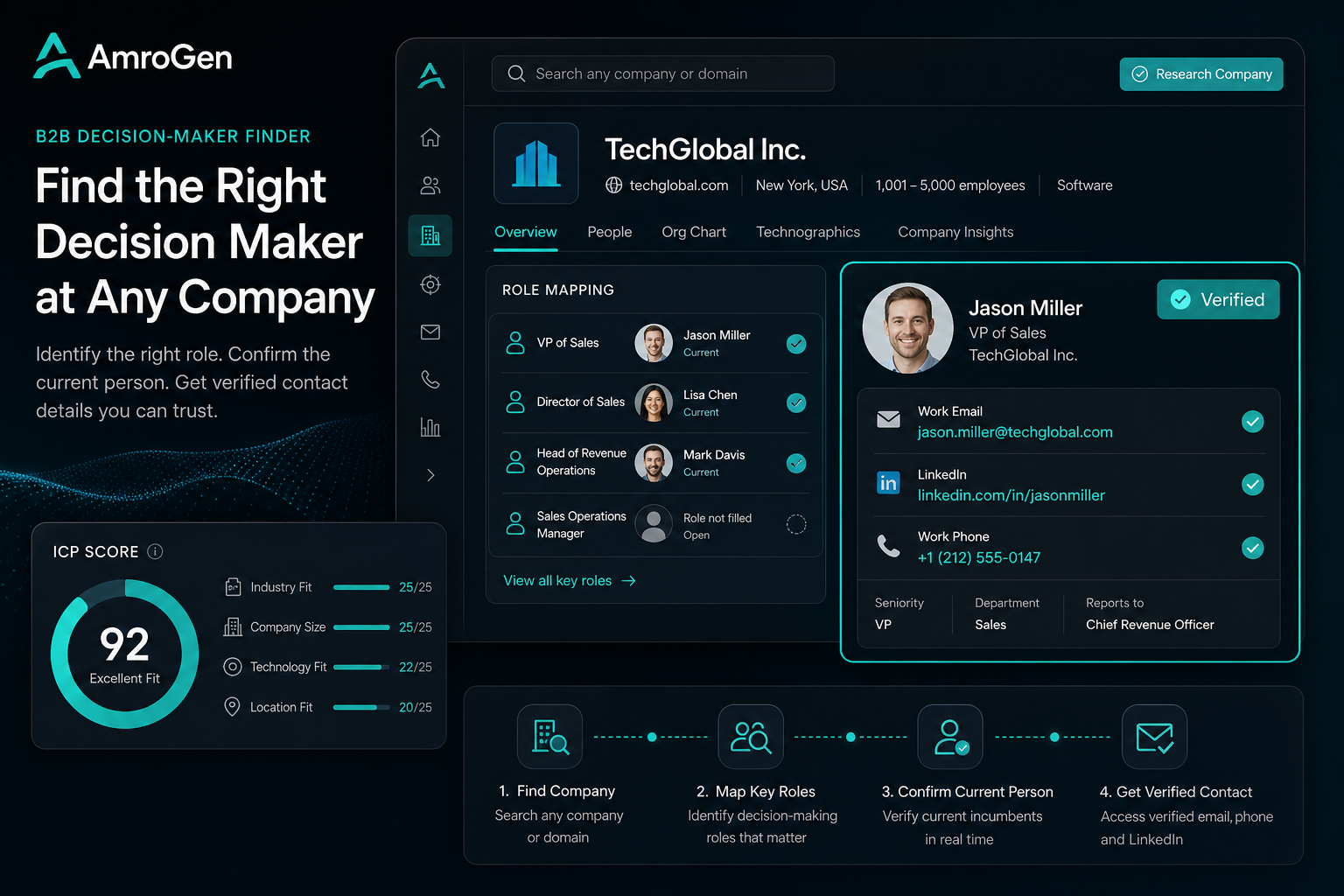
There are two fundamentally different ways to find a decision-maker at a target company: search a stored database (Apollo, ZoomInfo, LinkedIn Sales Navigator) and hope the record is current, or have an agent research the company's live web presence and find the actual person currently in that role. This guide covers what a decision-maker finder actually does, how the database and live-research approaches compare, what fields a good result should include, and walks through AmroGen's Lead Generator agent as a working example of the second approach.
Table of Contents
- What "Finding the Decision-Maker" Actually Requires
- Approach 1: Database Search
- Approach 2: Live Research
- What Fields a Good Decision-Maker Finder Should Return
- How AmroGen's Lead Generator Works
- Understanding ICP Fit Score
- When Each Approach Wins
- FAQ
What "Finding the Decision-Maker" Actually Requires
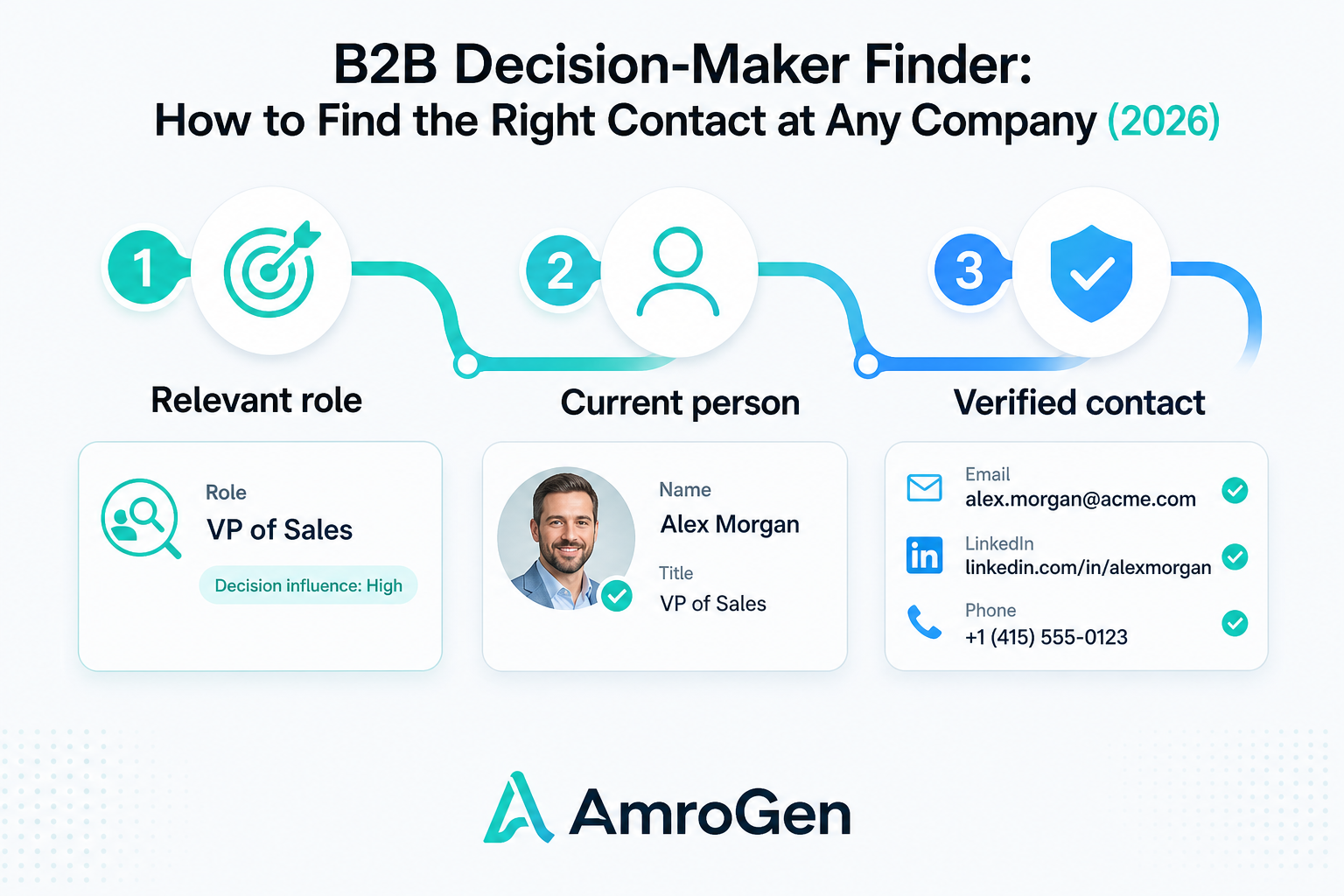
The phrase sounds like a single task — find the person, get their email — but it's actually three distinct steps that different tools handle with very different levels of rigor. First, identifying which role is relevant at this specific company, which varies by company size and structure (a "Head of Marketing" at a 15-person startup and a "VP of Marketing" at a 500-person company might be functionally the same decision-maker). Second, finding the current person in that role, not whoever held it when a database was last refreshed. Third, getting verified, working contact details for that person — an email that doesn't bounce, a LinkedIn profile that's actually theirs.
Most tools handle step one reasonably well. Step two and three are where database tools and live-research tools diverge sharply.
Approach 1: Database Search
Apollo, ZoomInfo, and LinkedIn Sales Navigator all let you search a stored inventory of contacts filtered by company, title, and seniority. This is fast — a search returns results in seconds — and works well for companies that are well-covered in the database.
The structural limitation: a database record reflects whoever held the role when it was last verified, which could be months or years ago. LinkedIn Sales Navigator in particular doesn't provide email addresses where available or direct-dial phone numbers at all — it's a relationship-mapping tool, not a contact-data tool, meaning you still need a separate provider for the actual email once you've identified the right person through Sales Navigator's search.
Approach 2: Live Research
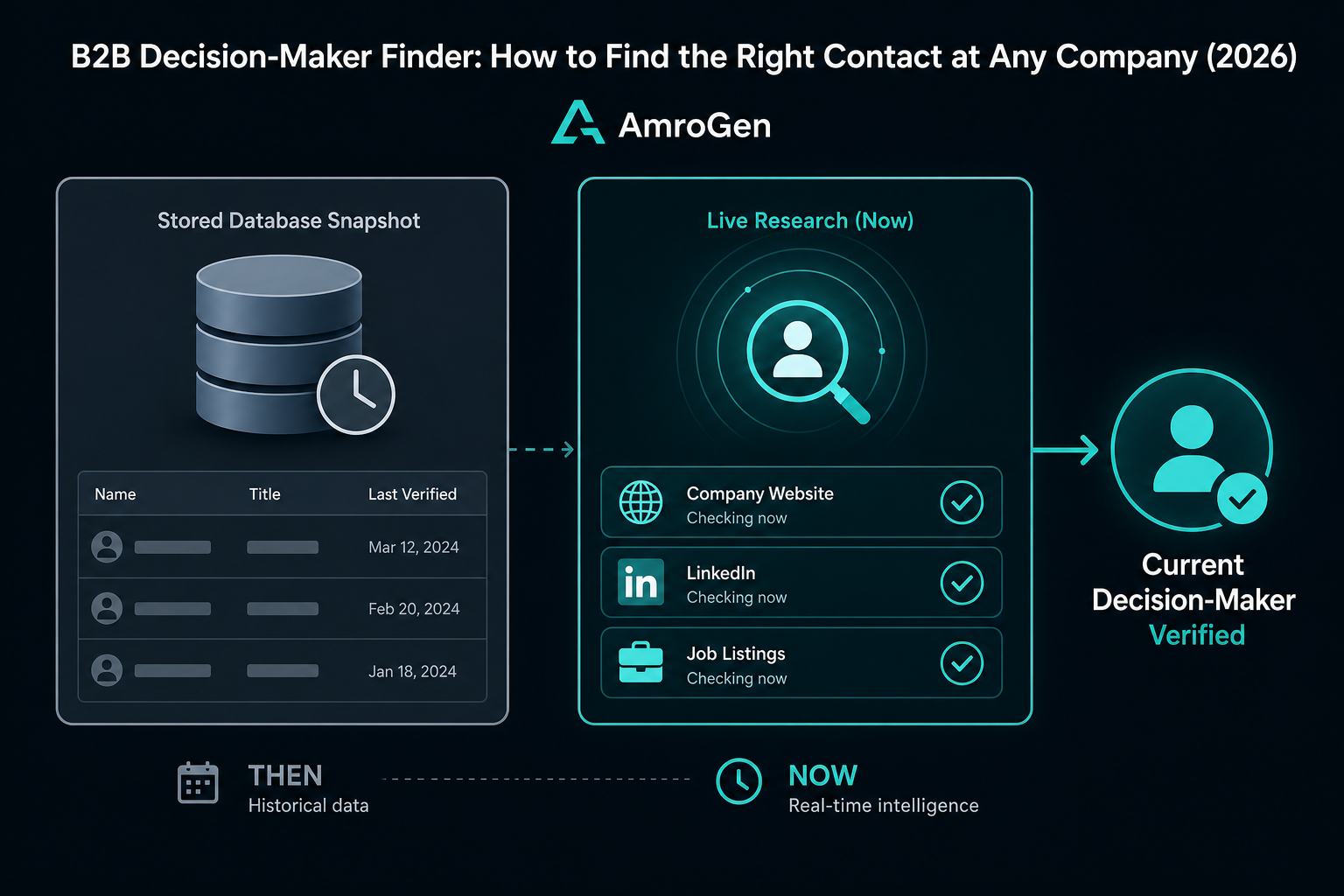
Instead of querying a stored record, an agent visits the target company's actual website, LinkedIn company page, and individual public profiles at the moment you run the search — reading current information rather than a snapshot from a prior verification cycle.
This is structurally different from automating a database query faster. The agent isn't searching an index; it's reading the company's current team page, current job listings (which often reveal who's hiring whom, and for what), and current LinkedIn activity to determine who's actually in the relevant role right now.
What Fields a Good Decision-Maker Finder Should Return
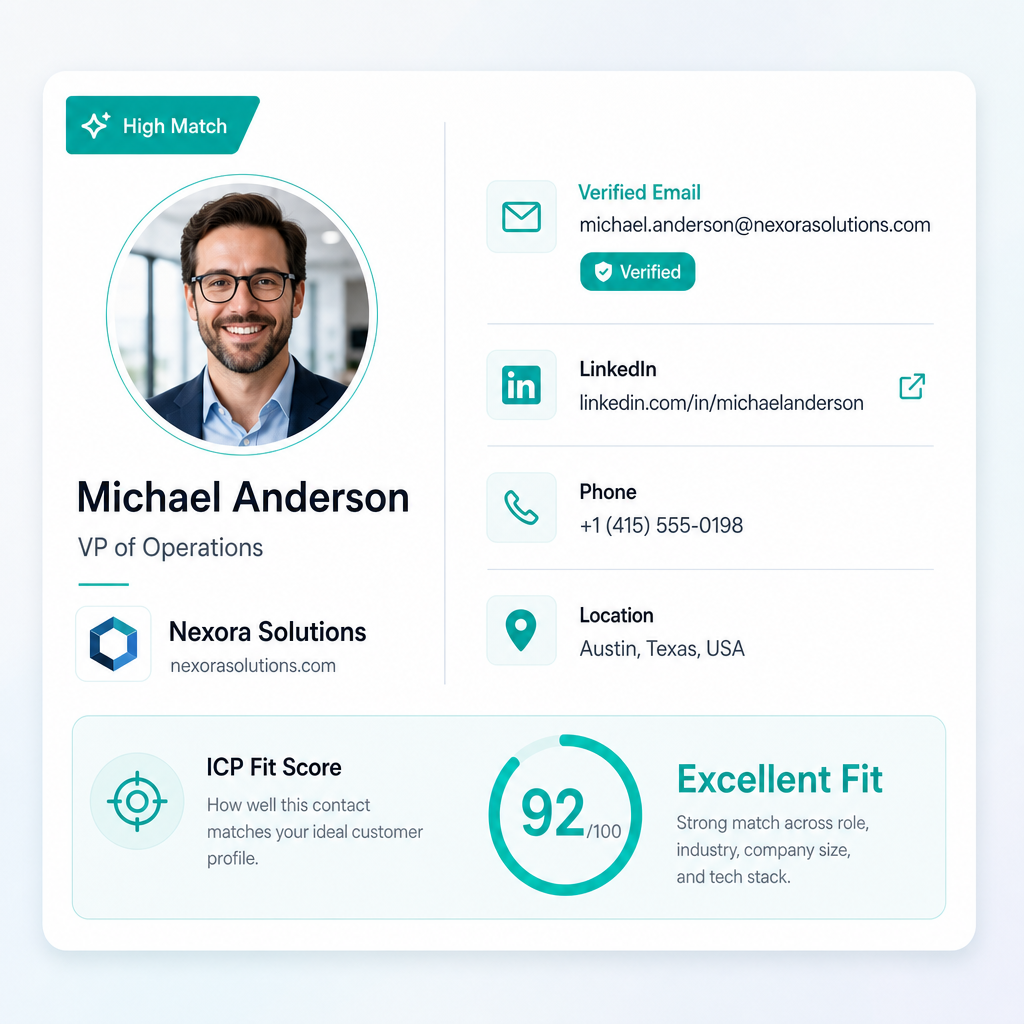
Whichever approach you use, a complete result for a single decision-maker should include these fields. Anything less and you're doing manual follow-up work the tool should have done for you. This matters more than it sounds — average B2B data providers deliver roughly 50% accuracy on stored email records, rising to 97%+ only at top-tier providers on their best-researched contacts, so the verification method behind each field matters as much as whether the field exists at all.
| Field | Why it matters |
|---|---|
| Full name | Basic identification |
| Current title | Confirms this is the right seniority and function |
| Current company | Confirms they haven't moved on |
| business email where available | The actual contact point — verification method matters as much as the address itself |
| LinkedIn profile URL | For multichannel outreach and confirming identity |
| Direct phone | Where available, for calls or SMS |
| Location | City/country, relevant for timezone-aware outreach |
| Fit score | A composite signal of how well this person matches your target criteria, not just their title |
How AmroGen's Lead Generator Works
AmroGen's Lead Generator agent is a working example of the live-research approach, walked through end to end.
You give it a single input: the target company's URL. The agent reads the company's website to understand its structure, size, and relevant departments — this context shapes which roles it treats as decision-makers for your campaign. It then browses the company's LinkedIn company page and individual public profiles to identify who is currently employed in those roles, cross-referencing the company's own site against LinkedIn to confirm the person is genuinely current, not a stale listing.
For each person identified, the agent enriches: business email where available (some addresses may be pattern-derived) (not pulled from a stored verification record), LinkedIn profile URL, phone where publicly available, current title, location, and an ICP fit score. All of this typically completes in a full agent run for a single target company, and you see the full result — every field, every contact — before anything else happens with the data.
Understanding ICP Fit Score
A name and email alone don't tell you whether someone is worth contacting. The ICP (Ideal Customer Profile) fit score is a composite signal combining several factors: how closely their title and seniority match your target role, whether their department aligns with what your product solves for, how well the company's size and industry match your broader target segment, and any additional signal data surfaced during research (recent hiring activity, expansion announcements, relevant public statements).
AmroGen returns this as a High / Medium / Low rating per lead, letting you prioritise a 25-lead list quickly rather than treating every result as equally worth a sequence.
When Each Approach Wins
Database search wins when: you're targeting US-based mid-market or enterprise companies with strong existing database coverage, you need volume across many companies simultaneously, or you already have an existing database subscription and workflow built around it.
Live research wins when: your target company is smaller, international, or otherwise thinly covered in major databases, you're targeting a specific short list of accounts rather than searching broadly, data freshness matters more to you than raw volume — B2B contact data decays at roughly 2.1% per month, compounding to about 22.5% annually, so a contact verified five minutes ago carries meaningfully less risk than one verified five months ago — or you want the decision-maker search to flow directly into AI-written outreach rather than ending at an exported contact.
FAQ
How do I find the decision-maker at a company? Two main approaches: search a contact database (Apollo, ZoomInfo) filtered by company and title, or use a tool that researches the company's live web presence directly. The first is faster for broad searches across many companies; the second produces fresher, more current results for specific target accounts.
What tool finds B2B decision-makers? Apollo and ZoomInfo are the largest database-search tools. LinkedIn Sales Navigator is strong for relationship mapping but doesn't return email where available or phone numbers on its own. AmroGen's Lead Generator agent takes a different approach — researching a company's live web presence from a URL input rather than searching a stored database — and returns email where available, LinkedIn, phone, and an ICP fit score per contact.
How do I find the right contact at a company? Identify which role is actually relevant for your use case at that specific company (which can vary by company size and structure), then verify the current person in that role rather than relying on a record that may be outdated. Tools that research live sources at the time of your search produce more current results than ones pulling from a stored, periodically-refreshed database.
What is the best way to find B2B contacts? For volume across a broad target segment: a database tool with strong coverage in your target market. For a specific, targeted list of accounts where data freshness and accuracy matter most: a live-research tool that verifies contacts at the moment you search rather than pulling from storage.
Reflects publicly available information as of June 2026.
Internal links: /features/lead-generation · /campaigns/new · /alternatives/apollo-alternative